



Get Unlimited Access to IPinfo Lite
Start using accurate IP data for cybersecurity, compliance, and personalization—no limits, no cost.
Sign up for freeResidential proxies are the hardest type of IP anonymization to detect. Unlike data center VPNs or commercial proxies, which leave fingerprints in ASN, hostname, or registration data, residential proxies route traffic through real consumer IPs: home broadband connections, mobile devices, IoT endpoints. To most enrichment tools, they look like legitimate users browsing from their living room.
That's exactly why they've become the tool of choice for sophisticated fraud. Account takeovers, credential stuffing, ad fraud, sneaker bots, scraping operations: when an attacker wants to blend in with real users, they buy access to a residential proxy network. Traditional VPN and anonymizer detection catches the straightforward cases. Residential proxies remain the gap.
Today, IPinfo's residential proxy detection dataset, one of the leading residential proxy detection feeds available, is fully integrated into the IPinfo app for Splunk. Security teams can now enrich any IP in their SIEM with high-confidence residential proxy signals alongside geolocation, ASN, company, and privacy data, without leaving the Splunk console.
What This Looks Like in Your SIEM
The IPinfo Splunk app adds an SPL command for each bundle that enriches any IP field in your search results. For IPinfo Max customers, the command is ipinfomax, and it returns the full data set including residential proxy detection. A detection rule that successfully authenticates residential proxies that have been persistently active in residential proxy pools might look something like this:
That kind of query was previously hard to build inside Splunk. Most IP enrichment apps either don't expose residential proxy signals at all, or surface them as a low-confidence flag tucked inside a generic "anonymizer" field. With IPinfo, residential proxy detection is a dedicated signal you can build automated triage, correlation, and alerting on, with the persistence and provider context to actually tune the rule to your environment.
Why This Matters for Security and Fraud Teams
Inside a SIEM, the value of an enrichment isn't the data point itself. It's what the data point unlocks downstream: detection rules, correlation searches, and automated response. A few examples of what becomes possible once residential proxy detection is enriched at ingest:
Account takeover detection. Flag successful logins where the source IP is a residential proxy and the user account hasn't previously authenticated from that ASN or country. Most stealthy ATO traffic uses residential proxies precisely to bypass simple geographic checks; pairing residential proxy detection with behavioral baselines catches them.
Smarter alert triage. SOC teams routinely process millions of raw alerts per day. With residential proxy enrichment running at ingest, suppression and prioritization rules can run automatically: alerts from clearly suspicious traffic get escalated, alerts from clean residential IPs get scored down, and analysts see fewer false positives. One large enterprise customer running 5M+ raw alerts per day has used IPinfo's enrichment to push much of their alert volume into auto-triage, reducing what their analysts have to look at by hand.
Faster SOC investigation. When an analyst is investigating a suspicious authentication or transaction, the first question is almost always: where is this IP coming from? With residential proxy enrichment in the search results, that question gets a real answer inside the same workflow. Is the IP on a residential proxy network? Which provider? How recently has it been active in that pool? The manual third-party lookup, the open tab into another tool, the triage delay, all collapse into context the analyst already sees on the alert.
What Makes IPinfo's Residential Proxy Data Different
Three things, specifically, when you're building rules on top of it inside Splunk:
Directly observed, not inferred. IPinfo identifies residential proxy IPs through direct observation of more than 110 commercial proxy networks, not through behavioral heuristics or guesses. When we flag an IP as a residential proxy, security teams can act on it without spending the next hour validating the call.
Risk-scoring signals built for high-churn pools. Residential proxy IPs rotate constantly. That's the whole point of the network. A binary "is/isn't a proxy" flag isn't enough to build precise rules. IPinfo provides two additional signals on every flagged IP: last seen (when we last observed it active in a proxy pool) and percentage of days seen (how persistently it's appeared as a proxy over the trailing 30 days). An IP seen as a residential proxy 90% of the last 30 days is a very different risk profile than one seen once three weeks ago. Those signals let teams tune detection rules to their own risk tolerance instead of accepting a vendor's threshold.
Full anonymizer coverage. Residential proxy detection works alongside IPinfo's Privacy Extended dataset, covering VPN, public proxy, Tor, hosting, and relay traffic. In Splunk, that means a single enrichment call gives you the complete anonymizer picture for every IP, not just one slice. Teams that previously had to stitch together two or three different vendor feeds for the full anonymization story can do it in one query.
How the Integration Works
The IPinfo Splunk app is a free Splunkbase install with bring-your-own-key licensing. Existing IPinfo customers can plug in the same API token they already use elsewhere.
Two enrichment modes:
- API enrichment. Real-time calls to the IPinfo API during Splunk searches. The Max bundle, which includes residential proxy detection, runs in API mode in Splunk.
- Database download (MMDB). The app pulls IPinfo's MMDB files locally to your Splunk environment, so lookups run at Splunk-native speed without API rate limits or per-query charges. Available for the IPinfo Lite, IPinfo Core, and IPinfo Plus bundles.
Install and run a quick test using your IPinfo Max API token in under 10min:
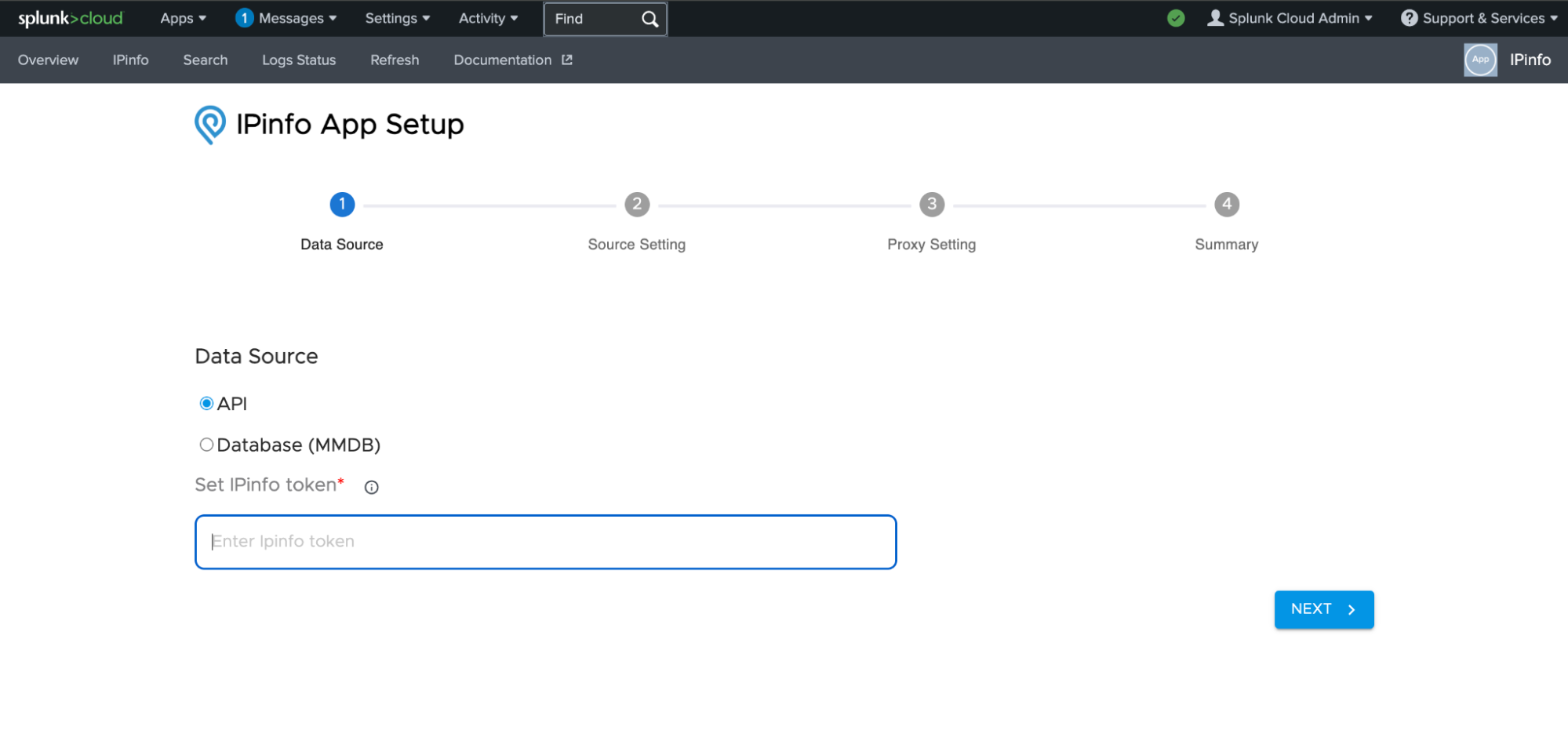
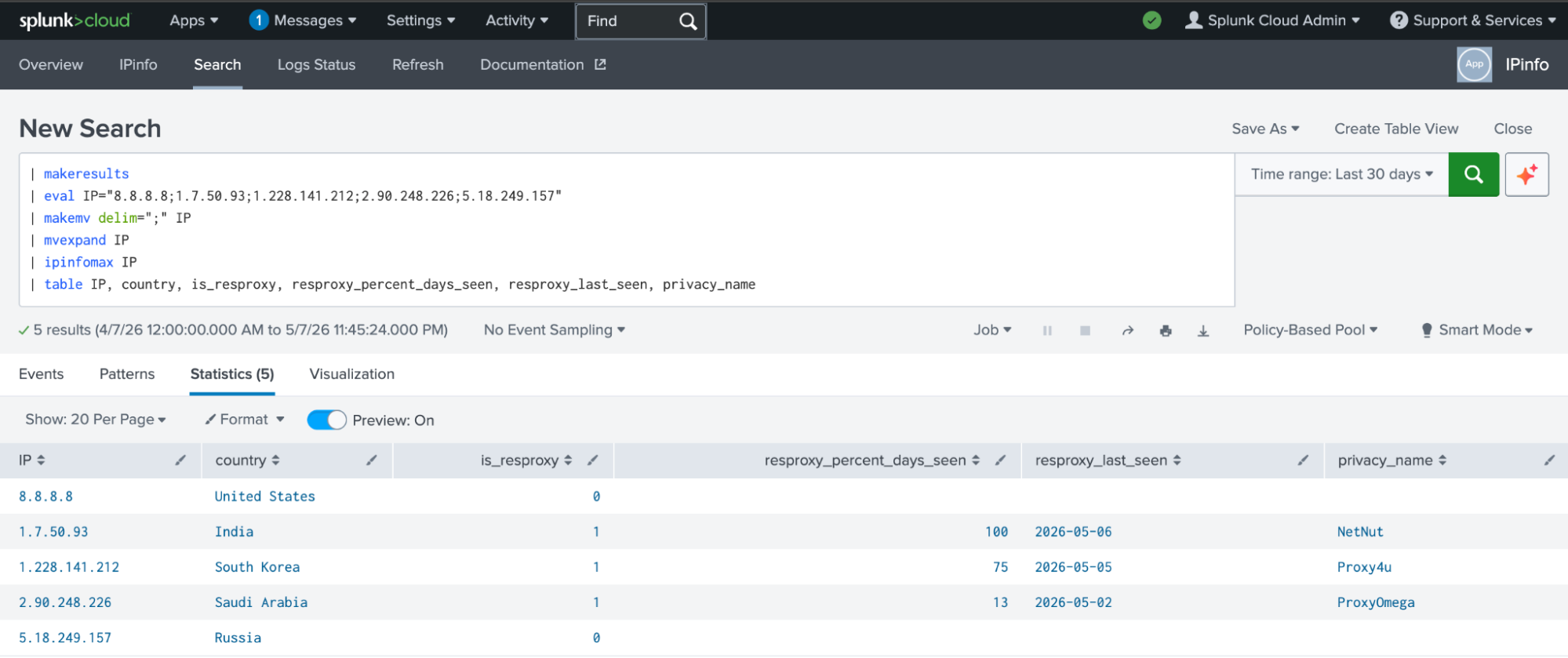
Residential proxy detection lives in the IPinfo Max API or as a standalone MMDB file and runs through Splunk. The app supports Splunk Enterprise, Splunk Cloud, and Splunk Enterprise Security across both 9.x and 10.x.
Defensible Geolocation, too
While residential proxy detection is the headline of this launch, it sits on top of IPinfo's full IP intelligence stack, and that stack is built differently than any other IP data providers. Geolocation, in particular, is built from three independent signal layers that cross-validate each other: a unique active network measurement layer (1,300+ probes across 570+ cities and 155 countries), aggregated mobile device telemetry, and administrative data. The result is location data that's stable over time and physically plausible, meaning detection rules built on top don't break the moment a routing change shifts an IP's WHOIS registration.
Inside Splunk, that translates directly into fewer false positives on geo-based detection rules, more reliable impossible-travel detection, and geo-fencing rules that don't block legitimate users.
Get Started
The IPinfo Splunk app is live and ready to install. The single front door for documentation, pricing, install instructions, and sales contact is ipinfo.io/integrations/splunk. Setup takes a few minutes: install the app from Splunkbase, choose your data source (API for Max, API or MMDB for Lite/Core/Plus), enter your IPinfo token, and you're enriching IPs.
Get IPinfo in Splunk
Set up IPinfo data in Splunk to access instant residential proxy data.
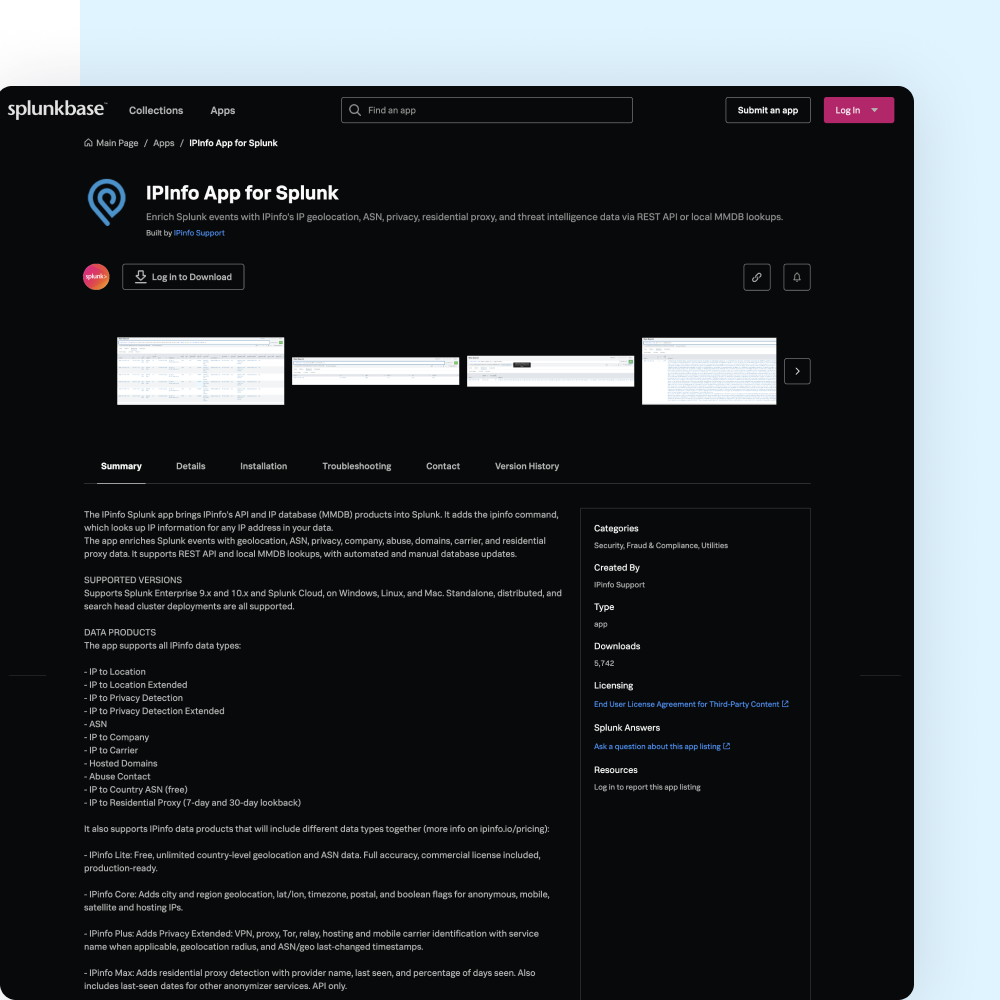
If you're already an IPinfo customer on the IPinfo Max bundle, you have residential proxy detection in your subscription. Install the app, configure it with your API token, and the ipinfomax command will enrich your existing searches with ResProxy data immediately.
If you're not yet a customer, or if you're on IPinfo Lite, IPinfo Core, or IPinfo Plus and want to upgrade for residential proxy detection, ipinfo.io/integrations/splunk is also where to start.
For technical reference (the ipinfo and ipinfomax commands, field schemas, MMDB setup, and known limitations), see ipinfo.io/developers/splunk.
Share this article


About the author

Ross advises IPinfo on business development strategy. His work ensures that IPinfo data is integrated into all the leading industry platforms.